
AI is quickly finding its place in K-12 education. Teachers use it to adapt lessons for different learners. Student support teams use it to understand student needs and plan interventions. And district leaders are exploring how AI can support everything from special education documentation to family communication. It’s no surprise that 88% of districts now have an AI initiative underway, and 96% of district leaders believe AI could benefit education.
But with so many options on the market, choosing the right AI tools for schools isn't always simple. Some tools focus on classroom instruction, while others support district-wide processes. Not every platform connects with the systems your district already relies on. And every tool raises the same important question: How will student data stay protected?
In this article, we'll explore what AI tools for schools are, how they can help your district, and what to look for as you evaluate options. Then, we'll walk through 10 AI tools to consider for supporting teachers and students.
Frequently asked questions about AI tools for schools
What are AI tools for schools?
AI tools for schools are software platforms that use artificial intelligence to support teaching, learning, and school operations. Some are designed specifically for K-12 settings, while others offer education-specific features and safeguards within broader AI platforms.
These tools can help educators create instructional materials, provide student feedback, analyze information, and plan personalized supports.
How do schools use AI tools?
Schools use AI tools in many ways, including to:
- Plan lessons and adapt materials for different reading levels and languages.
- Give students timely feedback on their work.
- Support drafting for Individualized Education Program (IEP) goals, intervention plans, and other documentation.
- Analyze student data to identify needs and trends.
- Make content more accessible for English language learners and students with disabilities.
Some tools serve teachers directly, while others are designed for students or for district teams managing student support at scale.
What are the benefits of AI tools for schools?
When used thoughtfully, AI tools can help districts strengthen support for every student. Key benefits include:
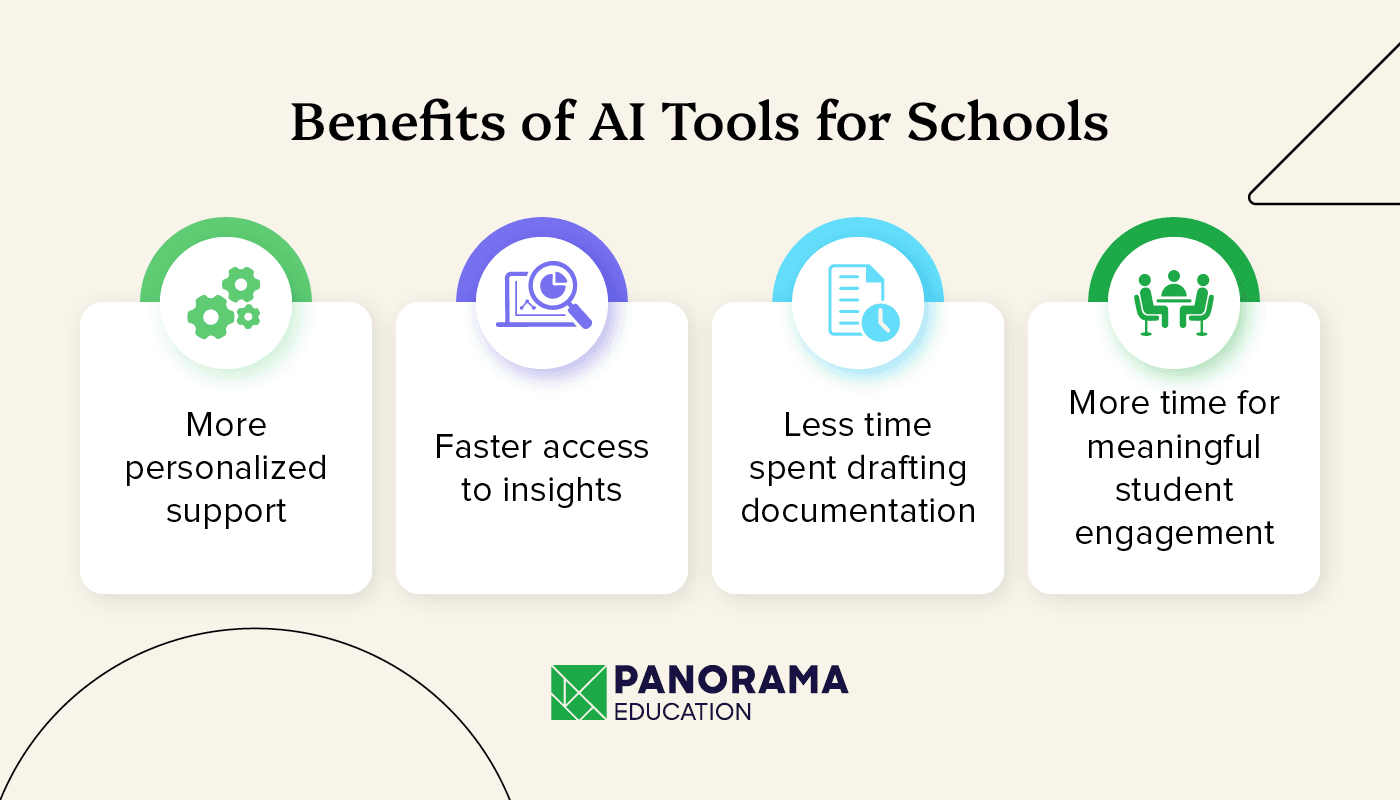
- More personalized support. AI can help educators adapt instruction, materials, and interventions to individual student needs.
- Faster access to insights. AI tools, when securely connected to student information, can help educators explore patterns in academic performance, attendance, and behavior, informing decisions about where additional support may be needed.
- Less time spent drafting documentation. AI can support the creation of IEP goals, progress reports, and other materials, giving specialists more time to focus on students.
- More time for meaningful student engagement. By helping with routine tasks, AI can create more opportunities for educators to focus on instruction and relationships with students.
What's the difference between general-purpose AI and purpose-built AI for schools?
General-purpose AI tools can support a wide range of educational tasks, from lesson planning and content creation to research and analysis. Some also offer education-specific features, privacy protections, and administrative controls.
Purpose-built AI platforms are designed around specific K-12 needs and workflows. Depending on the platform, that might mean connecting to student data, aligning outputs with district practices, or supporting processes like MTSS, intervention planning, and special education documentation.
Platforms like Panorama Solara take this approach, connecting AI with student information and district practices across Panorama's solutions. This helps educators develop personalized supports informed by their students' needs and their district's goals.
Are AI tools safe to use with student data?
AI tools can be used safely with student data when appropriate privacy, security, and governance protections are in place. However, not every AI tool is designed or approved to handle sensitive student information.
When evaluating AI tools, look for:
- Student privacy protections. Understand how the vendor supports your district's obligations under FERPA, COPPA where applicable, and state student privacy laws.
- Verified security practices. Look for independent security assessments, such as SOC 2 Type 2 reports, and clear documentation of how student information is stored and protected.
- Clear data-use policies. Confirm whether student data is used to train AI models, how long information is retained, and what contractual protections are available.
- Role-based access. Educators and administrators should only be able to access student information appropriate to their roles and responsibilities.
Districts should also establish clear expectations for reviewing AI-generated content and determining when human oversight is required.
What should districts look for in AI tools?
The best AI tools for schools fit your district's goals and make it easier for educators to support students. As you compare options, look for tools that:
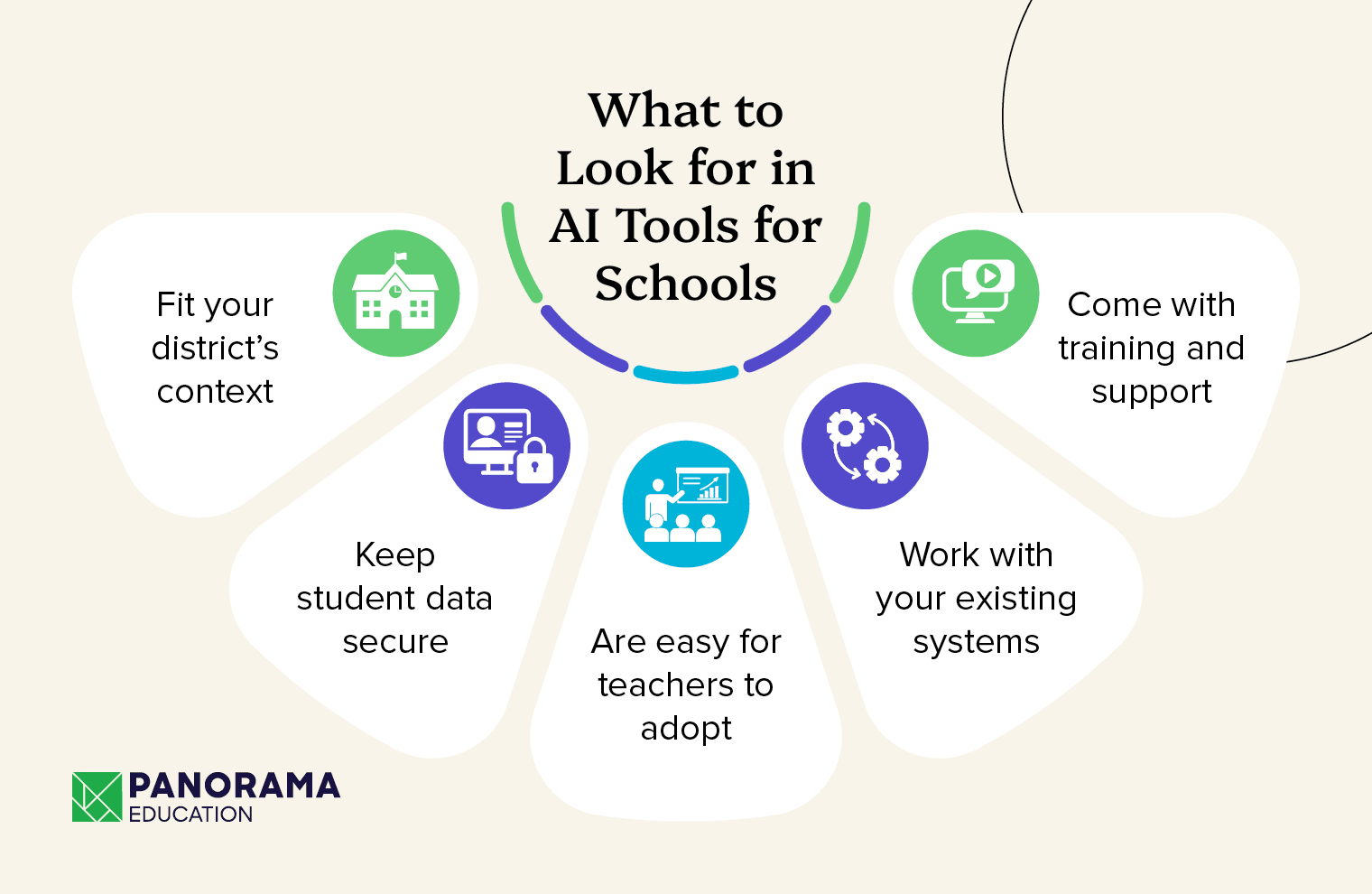
- Fit your district's context. Choose AI tools that can incorporate relevant curriculum, policies, and student information so outputs reflect your needs.
- Keep student data secure. Evaluate privacy protections, security practices, data-use policies, and administrative controls.
- Are easy for teachers to adopt. When tools are intuitive and fit into existing workflows, educators are more likely to use them effectively.
- Work with your existing systems. Consider whether a platform connects with your student information system (SIS), learning management system (LMS), or other tools your district uses.
- Come with training and support. Ongoing professional development helps educators use AI effectively and responsibly.
10 AI tools for schools
From lesson planning to student support, AI tools for schools come in many forms. Some provide flexible AI assistance for educators, while others focus on instructional content, accessibility, AI literacy, or district-wide student support. Here are 10 options to consider as you build your district's AI toolkit.
1. Panorama Education
Panorama Education helps K-12 districts improve student outcomes through connected student data, actionable insights, and personalized support. Its secure, district-managed AI platform, Panorama Solara, brings together student information, district practices, and educator expertise to help teams make informed decisions and take action.
Top features
- AI grounded in district data. Solara can securely draw on student information available through Panorama's connected solutions, helping educators understand student needs, explore trends, and develop personalized intervention and attendance plans.
- Custom tools built around district practices. Educators can use pre-built AI tools or create their own using district policies, curriculum, and instructional approaches to support lesson planning, differentiated instruction, and student support.
- Special education support. Solara helps educators draft IEP goals, evaluation reports, behavior intervention plans, and other documentation, with qualified professionals reviewing and refining the results.
- Privacy and security protections. Panorama maintains SOC 2 Type 2 certification and provides FERPA- and COPPA-aligned protections. Student data is not used to train AI models, and role-based access helps protect sensitive information.
- Visibility and implementation support. District leaders can monitor AI usage trends, establish approved use cases, and access professional development and implementation support.
What this provider does well
Panorama connects AI to the student data, district practices, and workflows educators use to support student success. With Panorama Solara, districts can move from understanding student needs to developing personalized supports, while keeping educators in control of decisions. And with Panorama's broader student success platform behind it, teams can connect insights with action across their MTSS processes.
2. Edpuzzle
Edpuzzle helps teachers turn videos into interactive lessons, and its Teacher Assist suite of AI tools makes it easier to build, grade, and follow up on those lessons. Teachers can check for understanding throughout a video and quickly see where students need more support.
Top features
- Question Generator. Edpuzzle can generate multiple-choice or open-ended questions from video content, which teachers can then review and adjust.
- AI-generated quizzes. Teachers can upload materials and generate quiz questions for review.
- Autograde. Teachers provide an ideal answer, and Edpuzzle uses it to help evaluate students' open-ended responses.
- Insights and follow-up activities. Supported Assignments help teachers review student performance and create additional practice activities based on learning needs.
What this provider does well
Edpuzzle uses AI to make video learning more interactive. Teachers can turn videos into lessons with built-in checks for understanding, then use performance insights to decide what students need next.
3. Wayground
Wayground (formerly Quizizz) uses AI to help teachers turn everyday resources into engaging, differentiated lessons and assessments. Wayground AI combines content-generation capabilities with a library of classroom resources, helping teachers build on existing materials rather than starting from scratch.
Top features
- Standards-aligned creation. Teachers can generate questions based on academic standards and customize them by question type, language, and Depth of Knowledge (DOK) level.
- AI Actions. Teachers can translate resources, simplify language, and adjust activities to better meet different learning needs.
- Resources from multiple sources. Teachers can turn documents, articles, videos, and other materials into interactive questions and activities.
- AI-powered analysis. Wayground helps teachers examine student responses, identify learning patterns, and find opportunities for additional practice.
What this provider does well
Wayground puts AI to work on the materials teachers already use. Educators can adapt existing resources into differentiated lessons and assessments while maintaining control over instructional content.
4. Canva for Education
Canva for Education is a design and learning platform for K-12 teachers and students, with built-in AI tools that support content creation and classroom activities. Teachers can use Canva's AI capabilities to develop worksheets, presentations, and learning resources, while students can explore creative tools in an education-focused environment.
Top features
- Canva AI. Helps educators brainstorm, create, and refine instructional content and designs.
- Magic Activities. Turns learning goals into interactive classroom activities.
- AI lesson creation. Supports the creation of worksheets, activities, and other classroom resources.
- AI Voice. Lets users create AI-generated voiceovers for presentations and videos.
What this provider does well
Canva for Education makes AI-powered creativity accessible to K-12 classrooms. Its free education offering gives eligible teachers and students access to design and learning tools, with AI capabilities that can support instructional content creation and digital literacy.
5. CodeAI
CodeAI, formerly Code.org, is a nonprofit that creates free computer science and AI curriculum for schools. Its courses help students understand how AI works and how to use it responsibly.
Top features
- AI Foundations. A high school curriculum that introduces AI concepts and gives students opportunities to build with AI.
- AI Discoveries. A middle school course that introduces students to core AI concepts.
- How AI Makes Decisions. Lessons for grades 3–5 that introduce AI and machine learning.
- Hour of AI. Classroom activities that provide hands-on introductions to artificial intelligence.
What this provider does well
CodeAI helps schools build AI literacy. Its free, grade-banded curriculum prepares students to understand and use AI thoughtfully as the technology becomes part of everyday life.
6. Diffit
Diffit is an AI tool that helps teachers create differentiated instructional materials. Teachers can provide a text, topic, or video, and Diffit helps adapt content for different reading levels, languages, and learning needs.
Top features
- AI-leveled materials. Diffit adjusts instructional content for different reading levels and can generate vocabulary lists and comprehension questions.
- Customizable outputs. Teachers can adjust reading complexity, scaffolds, and other instructional supports to better meet student needs.
- Flexible formats. Diffit helps create differentiated activities, slides, station rotations, substitute plans, and intervention materials.
- Easy exports. Teachers can export materials for use with tools such as Google Workspace and Microsoft 365.
What this provider does well
Diffit helps teachers differentiate instructional materials for students with a range of learning needs. Educators can adapt content and create accompanying activities without developing every version from scratch.
7. Claude for Teachers
Claude for Teachers is Anthropic's AI workspace for U.S. K-12 educators. It helps teachers plan lessons, differentiate materials, and create classroom resources using education-focused capabilities and connections to instructional resources.
Top features
- Curriculum-grounded lesson planning. Teachers can plan lessons using curricular resources and academic standards across all 50 states through Learning Commons.
- Built-in and custom teaching Skills. Educators can use teaching-focused Skills or create reusable instructions for tasks like lesson planning and differentiation.
- Privacy protections. Anthropic does not use Claude for Teachers conversations to train its models, and the offering includes K-12-specific privacy terms. Use of identifiable student records requires appropriate school or district authorization.
- AI fluency training. Resources developed with education organizations help teachers build practical AI skills.
What this provider does well
Claude for Teachers combines a flexible AI assistant with standards-aligned instructional resources and education-specific protections. Verified U.S. K-12 educators who sign up by June 30, 2027, can receive a year of free access.
8. Khanmigo by Khan Academy
Khanmigo, built by the nonprofit Khan Academy, is an AI-powered tutor for students and a teaching assistant for teachers.
Top features
- Student tutoring. Khanmigo guides students through problems step by step instead of simply providing answers.
- Writing Coach. Students receive support as they plan, draft, and revise their writing.
- Teacher tools. Educators can create lesson plans, rubrics, exit tickets, and quiz questions.
What this provider does well
Khanmigo combines AI-powered tutoring with Khan Academy's instructional resources. Its approach emphasizes guided learning, while its teacher tools help educators develop instructional materials and classroom activities.
9. ChatGPT for Teachers
ChatGPT for Teachers is OpenAI's version of ChatGPT designed for U.S. K-12 teachers and school staff. It provides a secure workspace with education-specific privacy protections, collaboration features, and administrative controls.
Top features
- Advanced AI capabilities. Educators can use AI models, file uploads, data analysis, image generation, and research tools to plan lessons, create instructional materials, and explore ideas.
- Shared workspaces. Verified educators within the same district can collaborate through shared projects and reusable tools.
- Connections to other tools. Available integrations and apps help educators work with resources from supported external platforms.
- Administrative controls. District leaders can manage workspace access, roles, and security settings.
What this provider does well
ChatGPT for Teachers provides a flexible AI assistant for a wide range of educator tasks, with collaboration and administrative features designed for K-12 environments. It's free for verified U.S. K-12 teachers and school staff through June 2028.
10. Everway Read&Write
Everway Read&Write is a literacy support toolbar that helps students with reading, writing, and comprehension. It combines accessibility features with AI-supported tools to help learners access and engage with content.
Top features
- Simplify/Rewordify. Helps students understand complex text by presenting content in more accessible language.
- Text-to-speech. Reads text aloud across supported websites, documents, and PDFs.
- Writing support. Speech-to-text, word prediction, and spelling assistance help students express their ideas.
- Study tools. Students can collect highlights, build vocabulary, and organize information for review.
What this provider does well
Read&Write helps reduce barriers to reading and writing. Its accessibility tools support a wide range of learners, including students with disabilities and multilingual learners, helping them engage more independently with instructional content.
Additional AI tools for schools resources
AI tools for schools can help educators personalize instruction, understand student needs, and strengthen the support they provide. The right approach depends on your district's goals, the systems you already use, and how AI fits into educators' daily work.
For districts looking to connect AI with student support, Panorama Solara brings secure, customizable AI capabilities into Panorama's broader student success platform. Educators can draw on district context and student information to develop personalized supports, while maintaining control over decisions that affect students.
Ready to explore how AI can support your district's goals? Request a demo of Panorama Solara.
Looking for more ways to build your district's AI strategy? Explore these resources:
- AI Buyer's Guide for K-12: How to Evaluate AI Tools for Your District. Use this step-by-step framework to assess AI tools on security, strategy, implementation, and total cost before you buy.
- The 8-Step Framework Special Ed Directors Use to Build Custom AI Tools (That Actually Fit Your District). Learn how special education leaders can develop AI tools aligned with district requirements while keeping qualified professionals in charge.
- The Missing Piece in Your District's AI Strategy: Governance. Explore how district leaders can establish clear expectations for responsible AI use and evaluate the quality of AI-generated outputs.